For architecture firms
Run every project with an AI copilot at every desk.
Arqiflow is the project management app for architecture firms, with an AI agent for each person. Give it a task and it sets up the work, drafts and builds in Revit, from your firm's own rules. A person answers for every task.
14 days free, no card needed.
A project's stages and tasks, with the lead's agent setting up the next stage beside them.
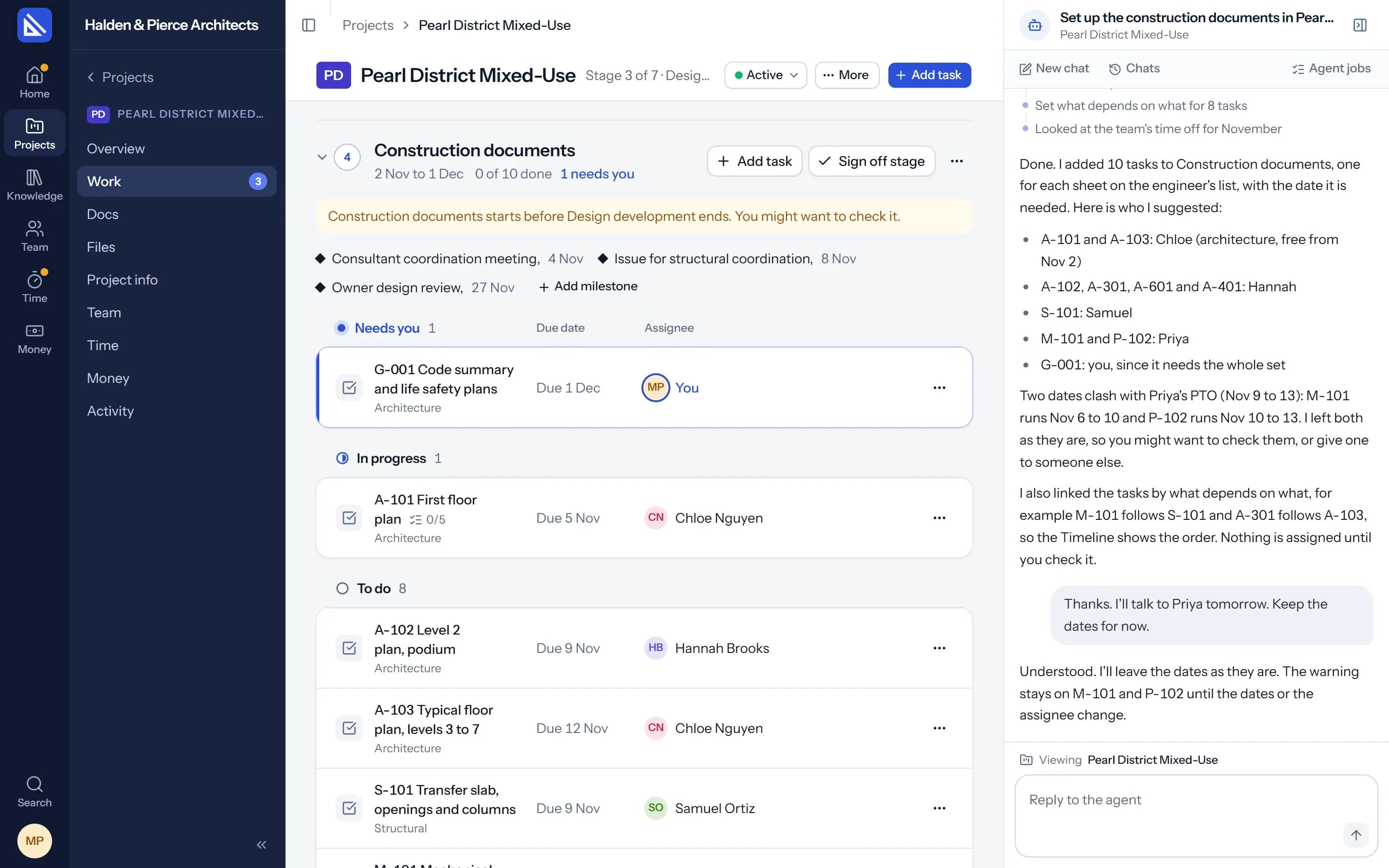
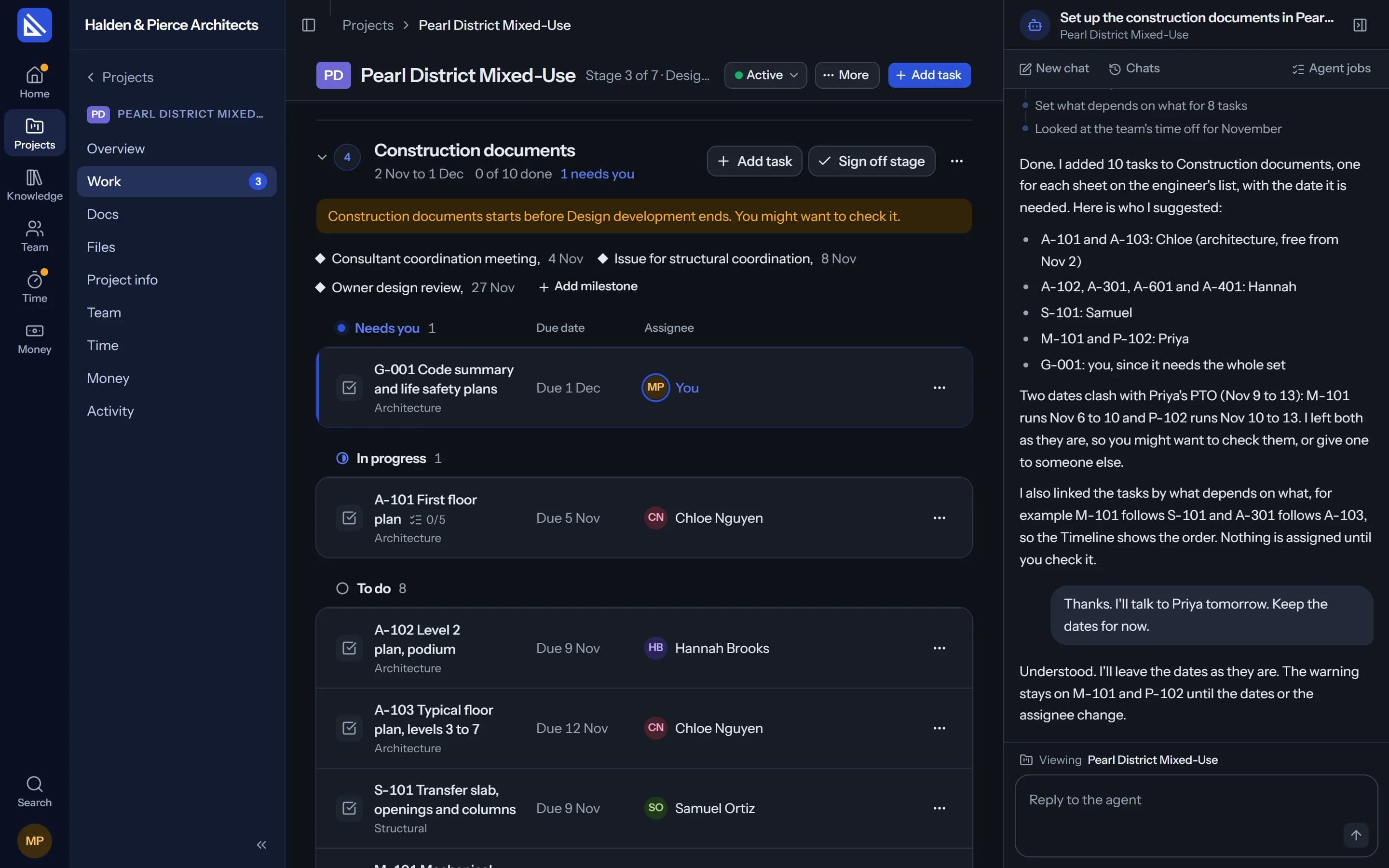
One place for the whole project, in your firm's own stages
- 1Brief and site
- 2Concept
- 3Schematic design
- 4Design development
- 5Working drawings
- 6Tender
- 7Construction
- 8Handover
What Arqiflow does
Plan the work, do the work, and run the firm, in one app.
Your projects and people, and an agent for each of them that knows both.
Plan the work
Projects, stages and tasks in List, Board, Calendar and Timeline, with reviews and an Inbox.
Learn moreGive it to your agent
Each person has their own agent. Give it a task and check what it hands back.
Learn moreBuild in Revit
The agent places walls, doors and rooms in the Revit open on your computer.
Learn moreRun the firm
Timesheets, time off, fees, profit and the team's workload, week by week.
Learn more
The agent
Your agent works for you. You answer for the work.
The agent is a tool in your hands, like a pen or a ruler. It does the tedious, error-prone work one element at a time, and you decide what goes out.
- 01
You give it a task
Any task on a project, or anything you ask in the chat beside every page. It knows the page you are on.
- 02
It says its plan and starts
When the job is clear, it goes to work. When it is not, it asks you one short question.
- 03
It tells you what it did
What it made is listed on the task. The record says the agent did it, and for whom.
- 04
You check it and hand it in
Or send it back with a correction. A person answers for every task, and a person approves it.
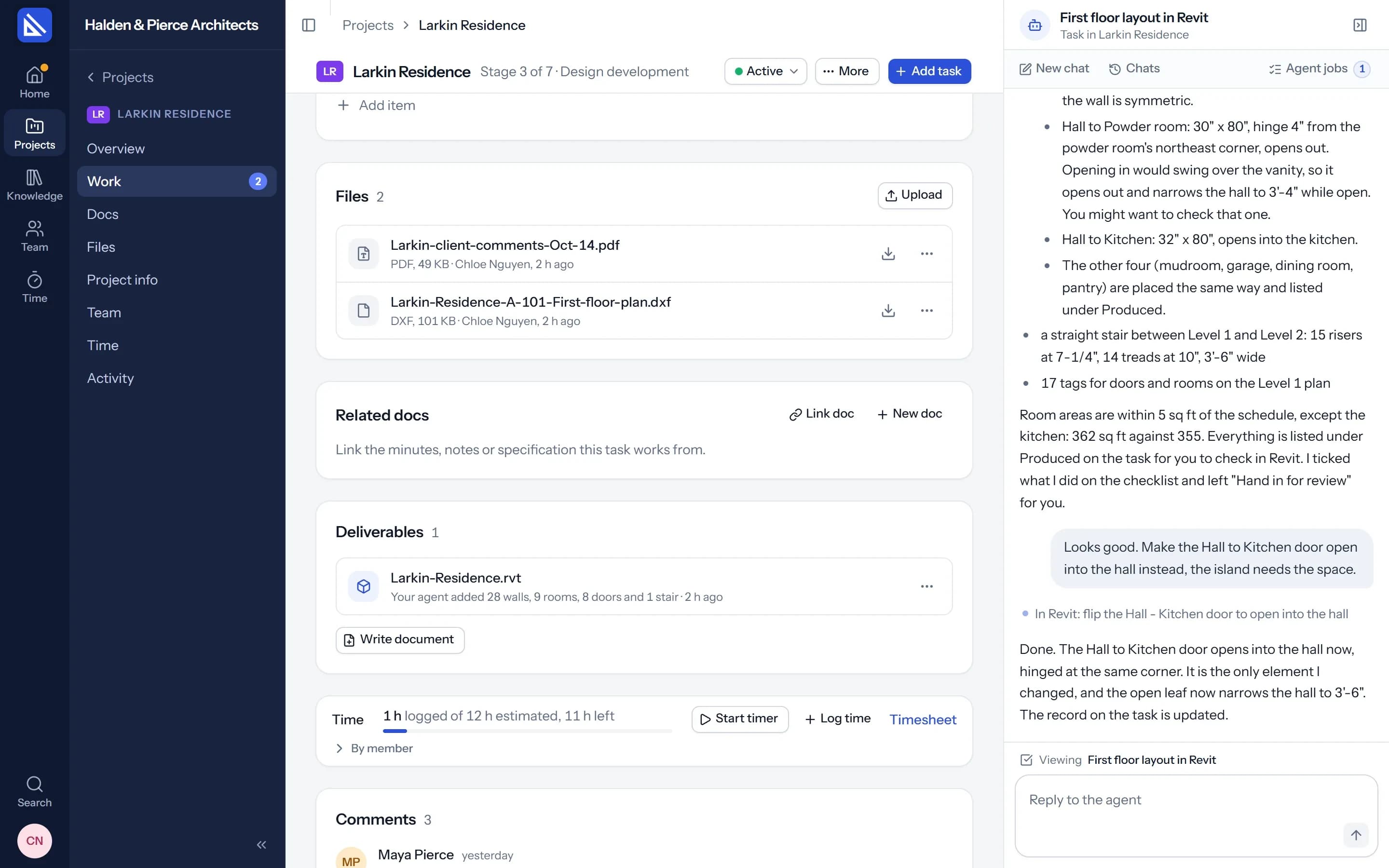
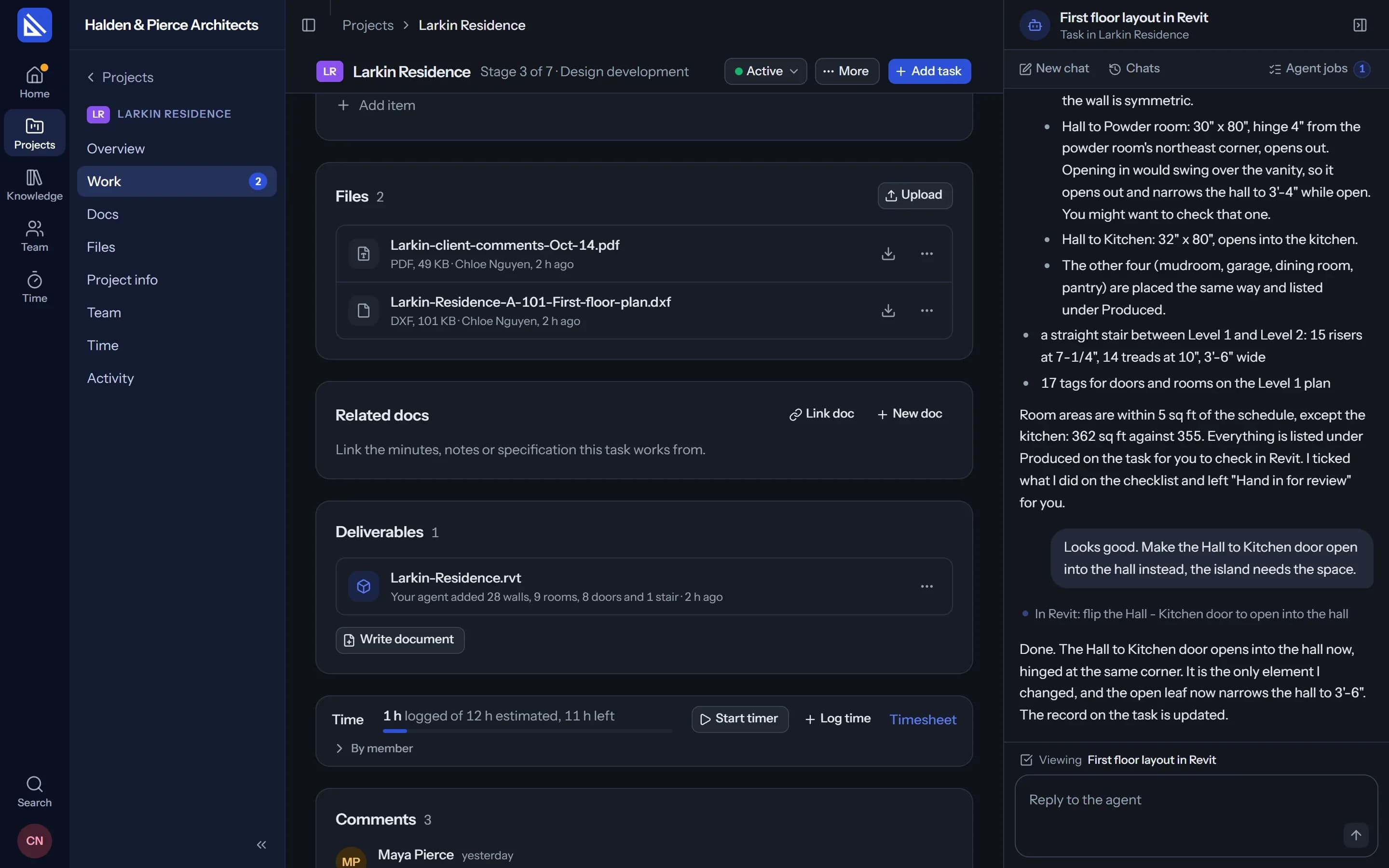
Revit
It builds in your Revit, at your desk.
Arqiflow for Revit connects the Revit open on your own computer. The agent places walls, doors and rooms from the chat while you work, and you watch the model take shape.
- Every change listed. By category and type on the task, with the element ids to select in Revit.
- Your model. It works in the project's model, and warns you when it is asked to work in another file.
- Small changes too. Ask for one door to open the other way, and it changes that door and nothing else.
Knowledge
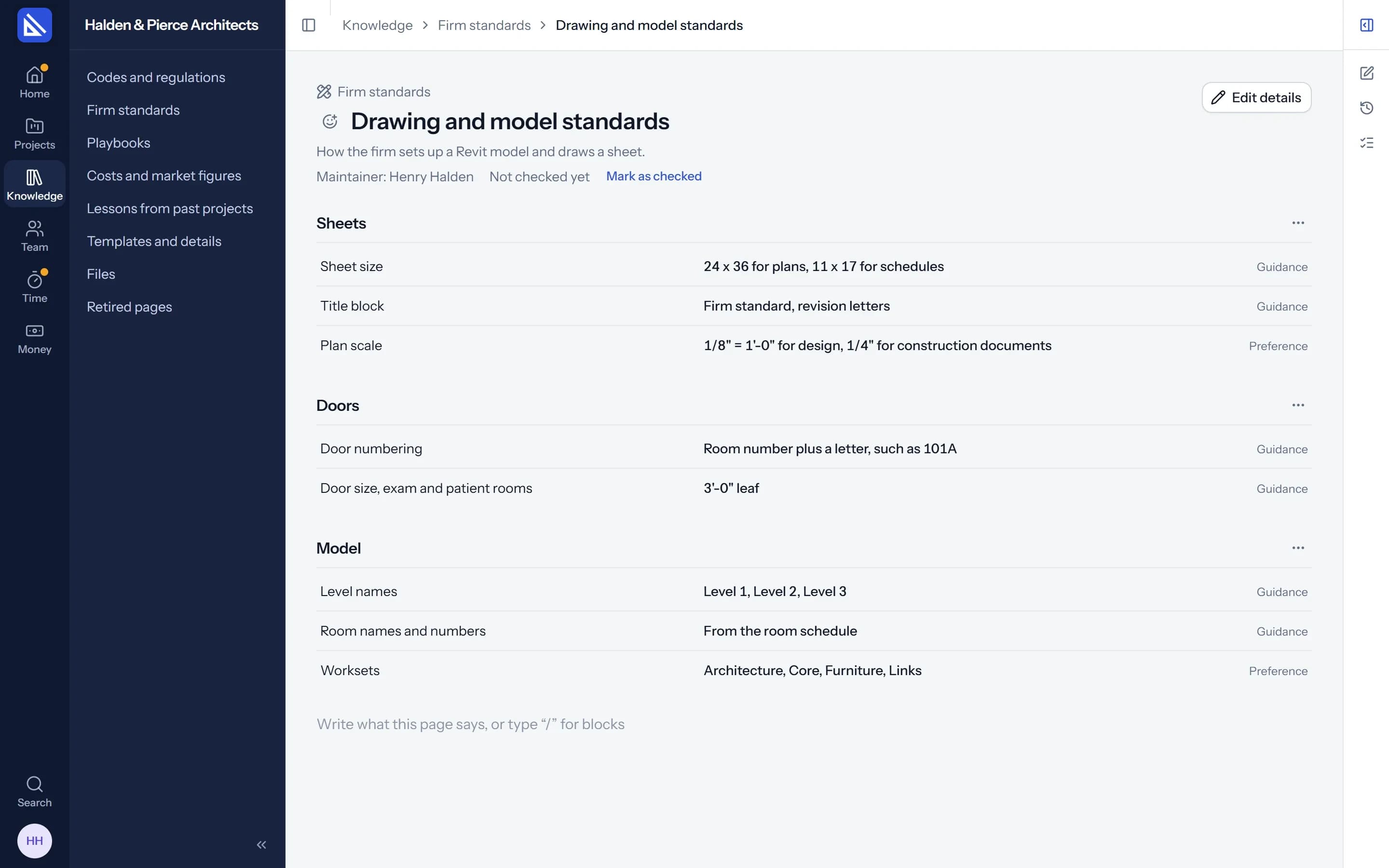
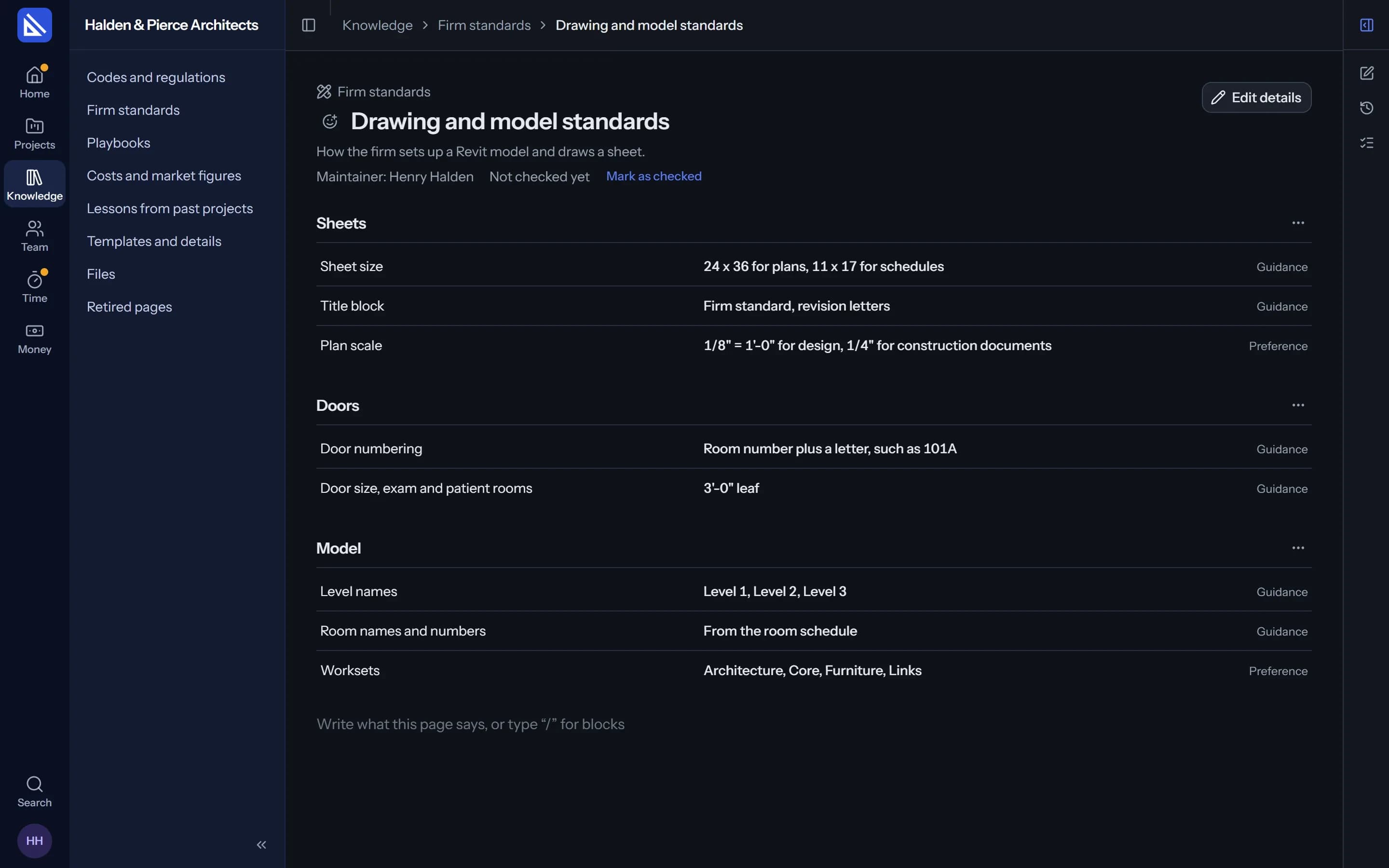
It works from your firm's rules, not from general knowledge.
Codes, standards, briefs and costs live in Arqiflow, so every person's agent works from the same pages your people do.
- Six kinds of knowledge. Codes and regulations, firm standards, playbooks, costs and market figures, lessons, and templates.
- Playbooks. How your firm does a piece of work, step by step. The agent follows them, and you can change them.
- Sources named. The agent says which page an answer came from.
Boards
Pin it up, mark it up, and leave with the tasks.
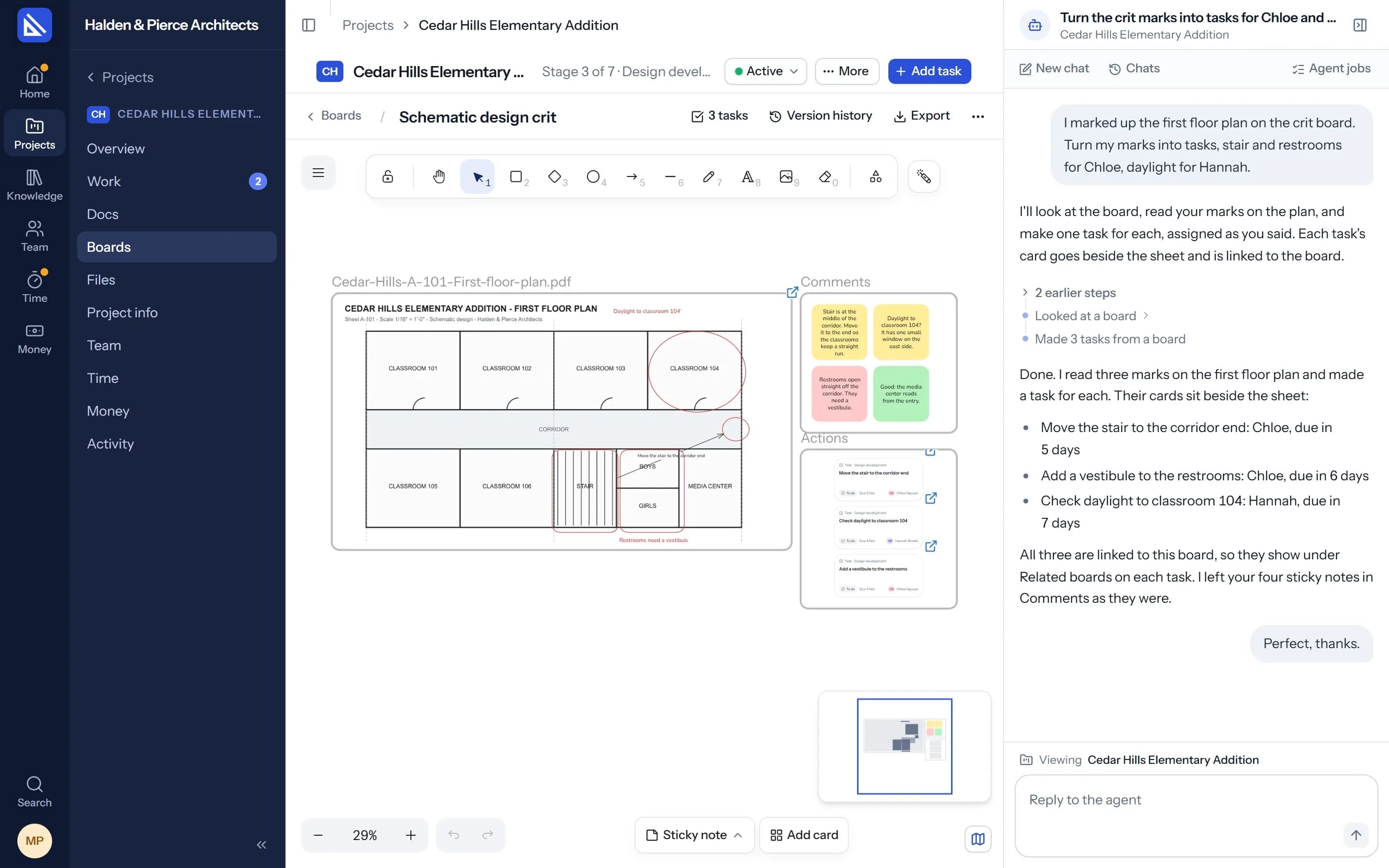
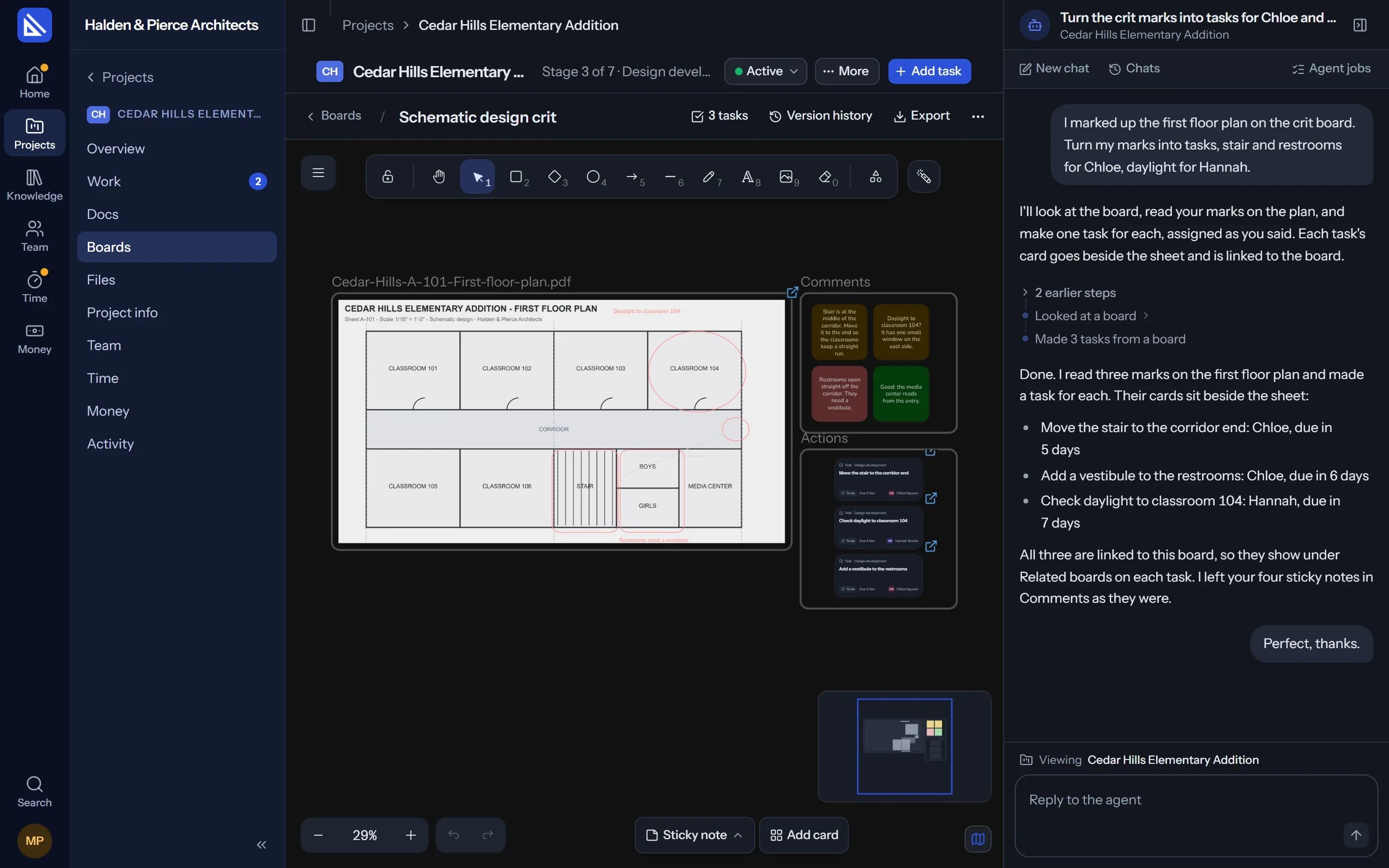
Every project has boards: an infinite canvas for crits, precedents, adjacency diagrams and client workshops, edited together, with live cards of the project's tasks, docs and schemes.
- Crit wall. Draw over a pinned-up sheet, and your agent turns the marks into tasks beside it.
- With your agent. It sorts precedents into frames and draws the adjacency diagram from the brief.
Projects and tasks
Views your team already knows.
Assign, schedule and review work the way a project management app should. Nothing new to learn.
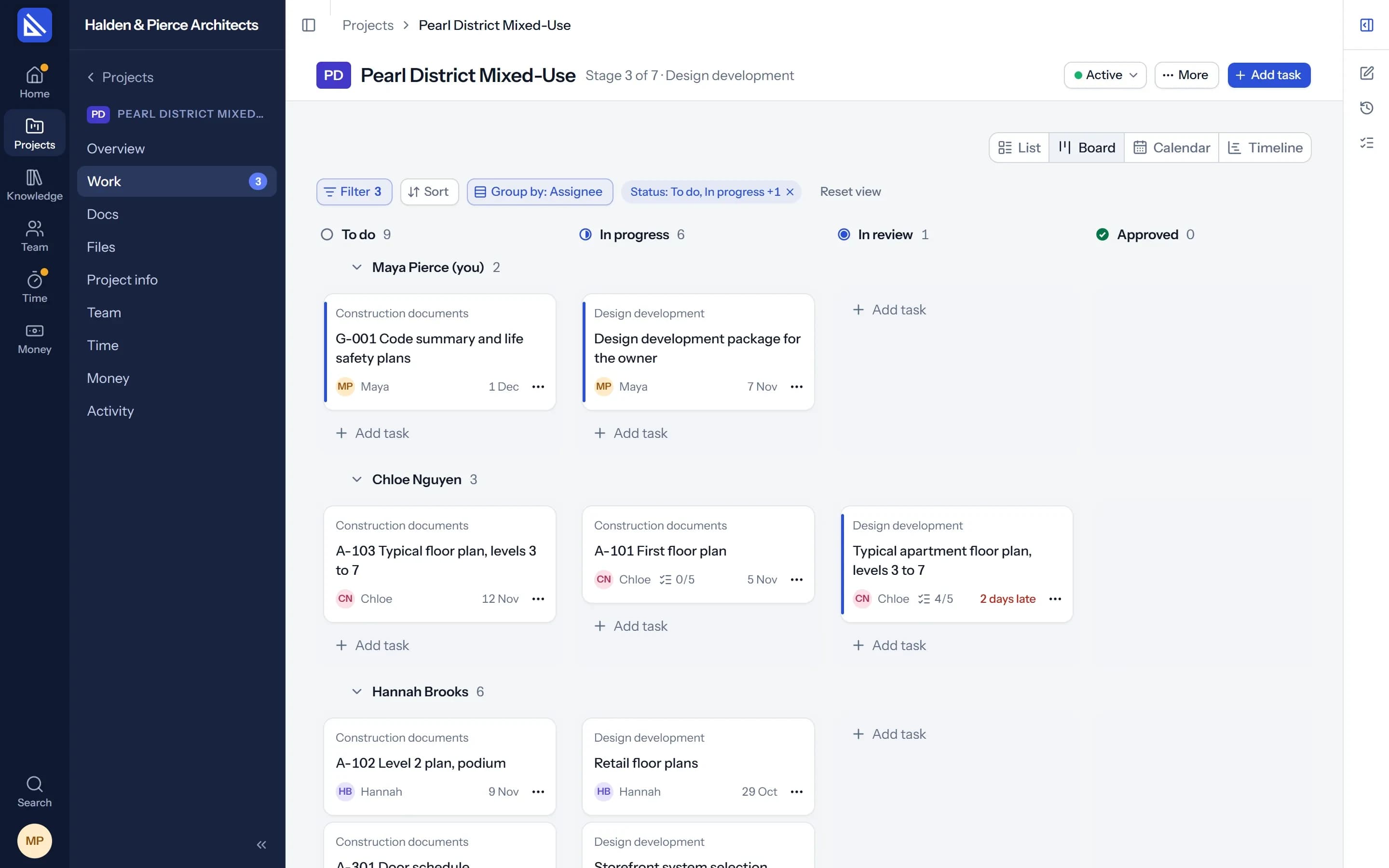
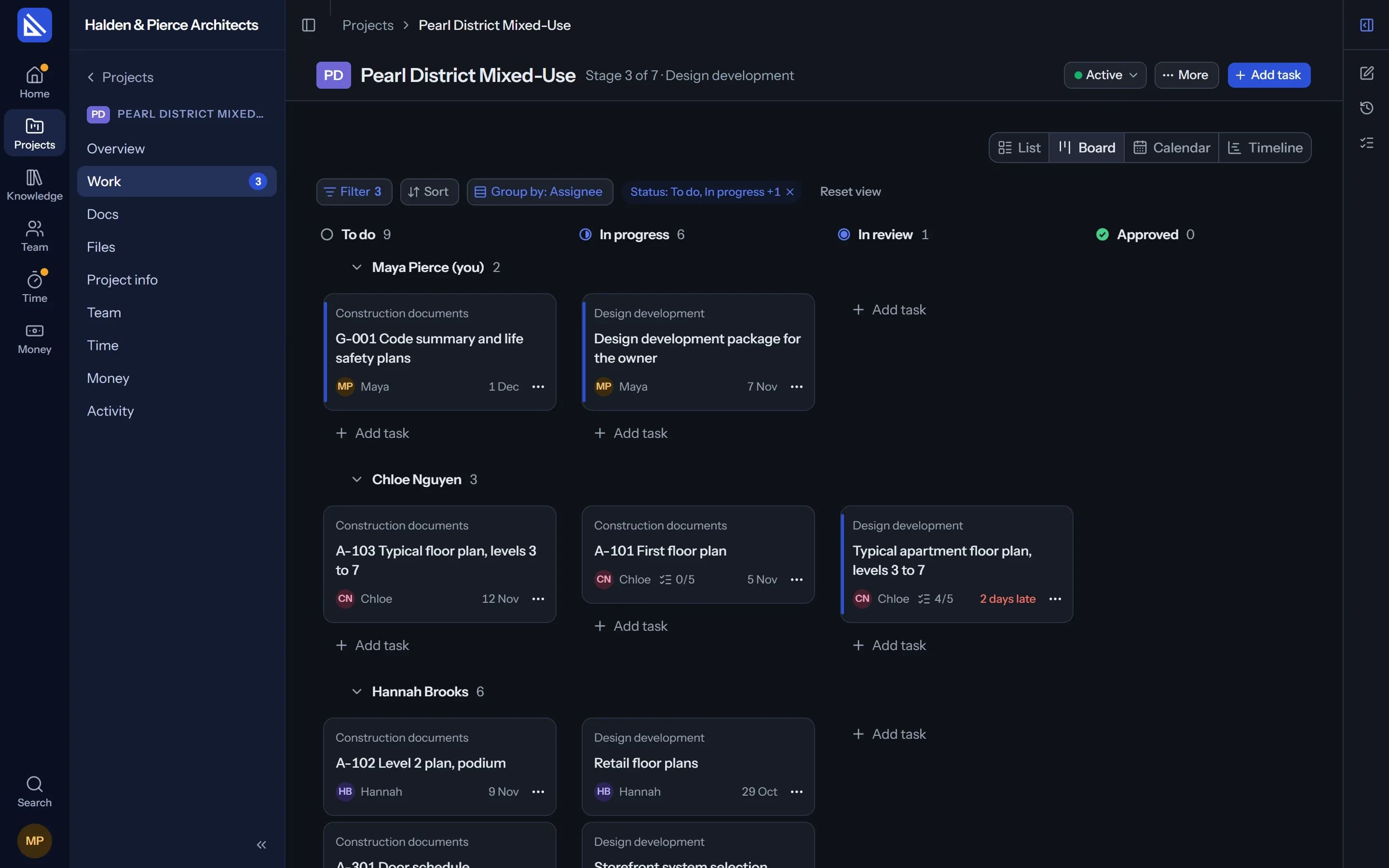
Board
Tasks by status or by person. Drag a card to move it on.
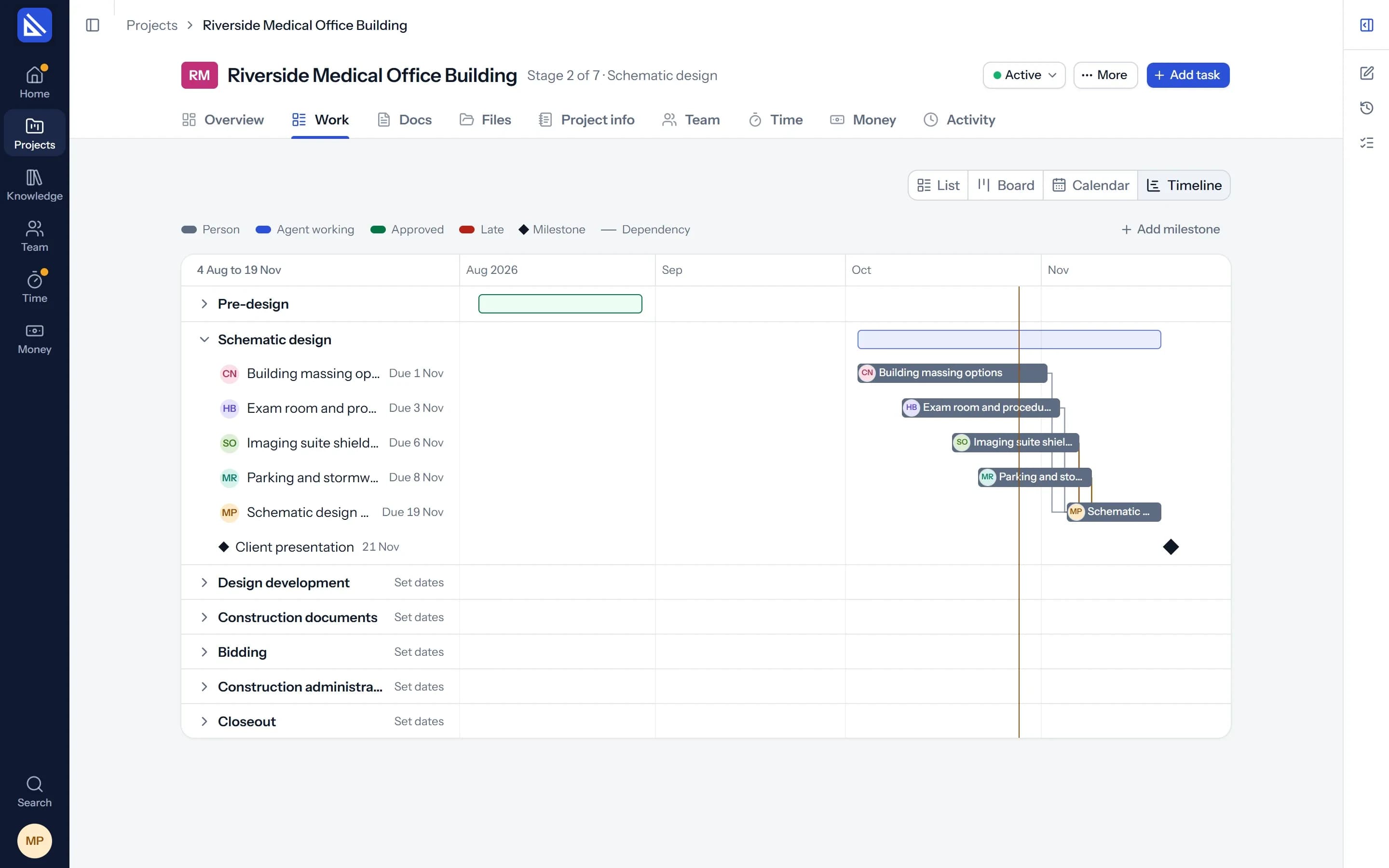
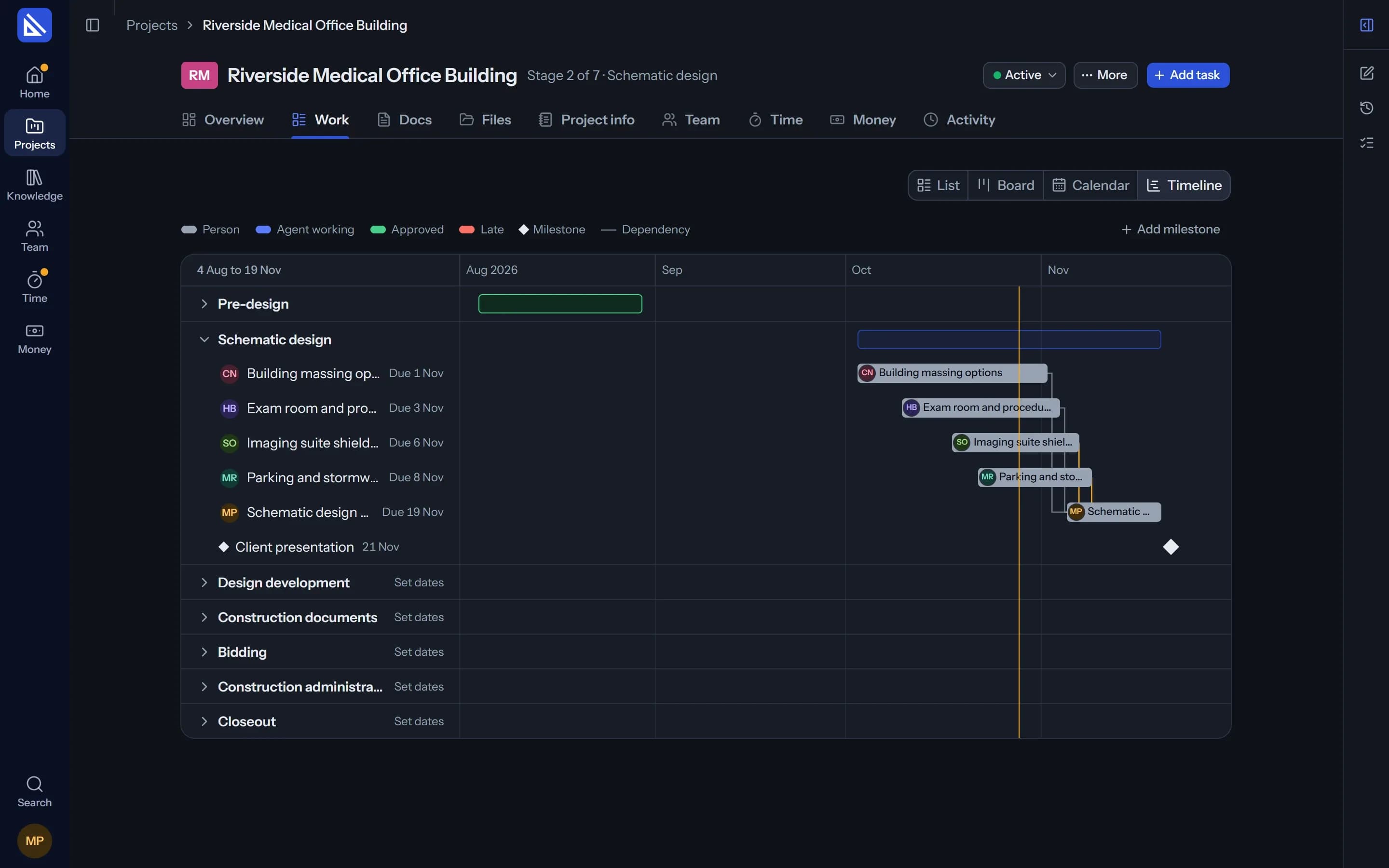
Timeline
Stages, tasks and key dates, and what depends on what.
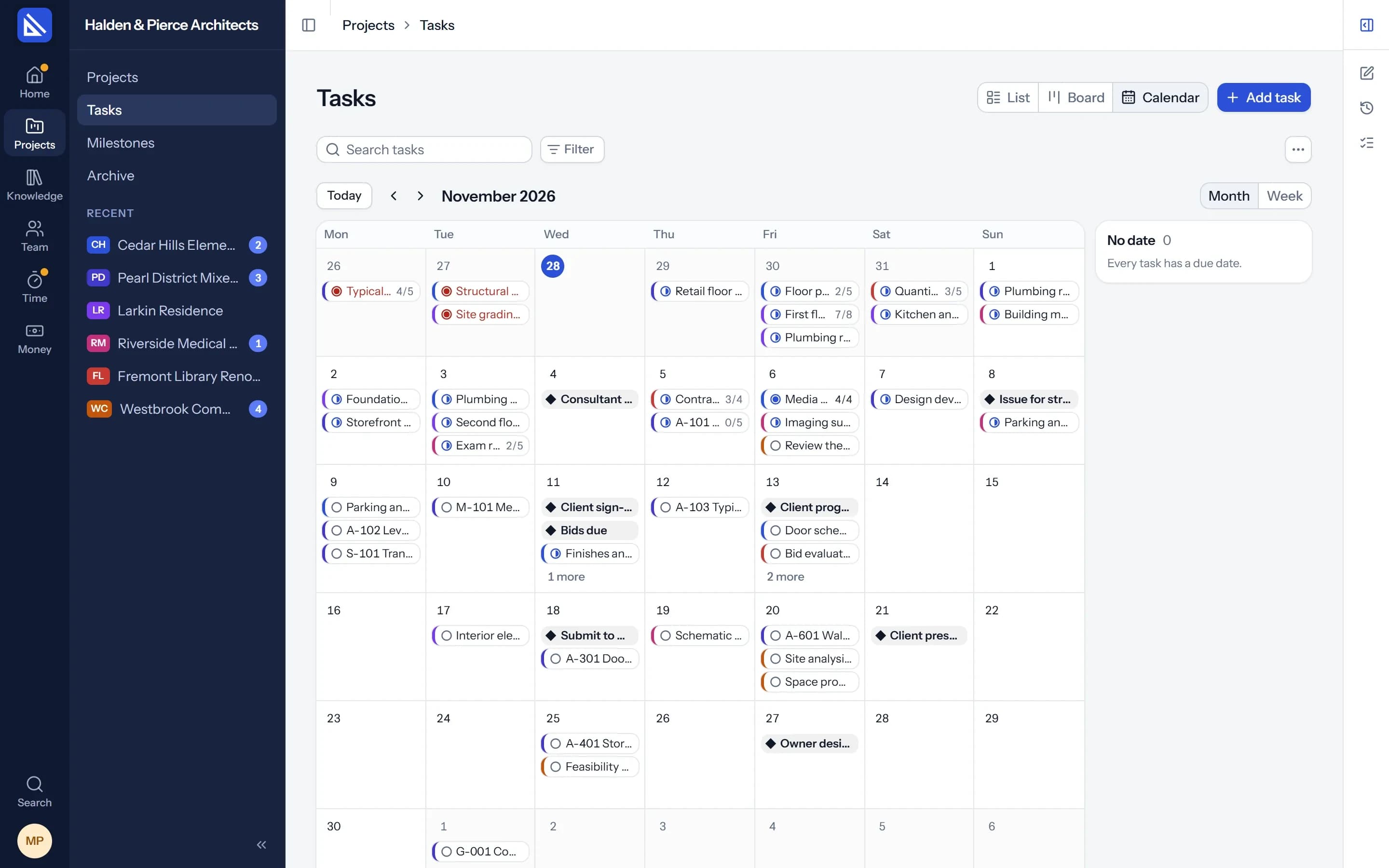
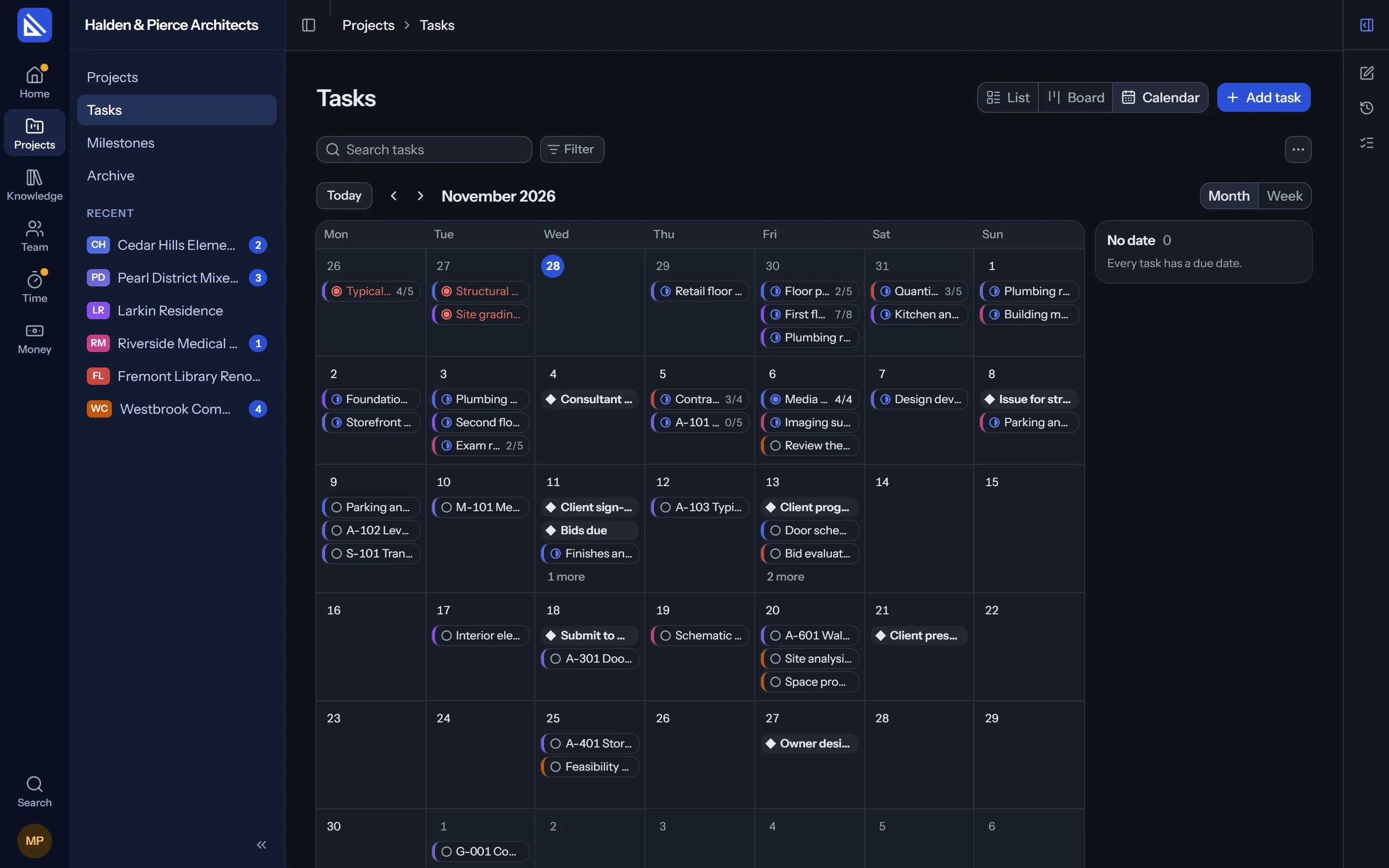
Calendar
Every due date and milestone, by month or by week.
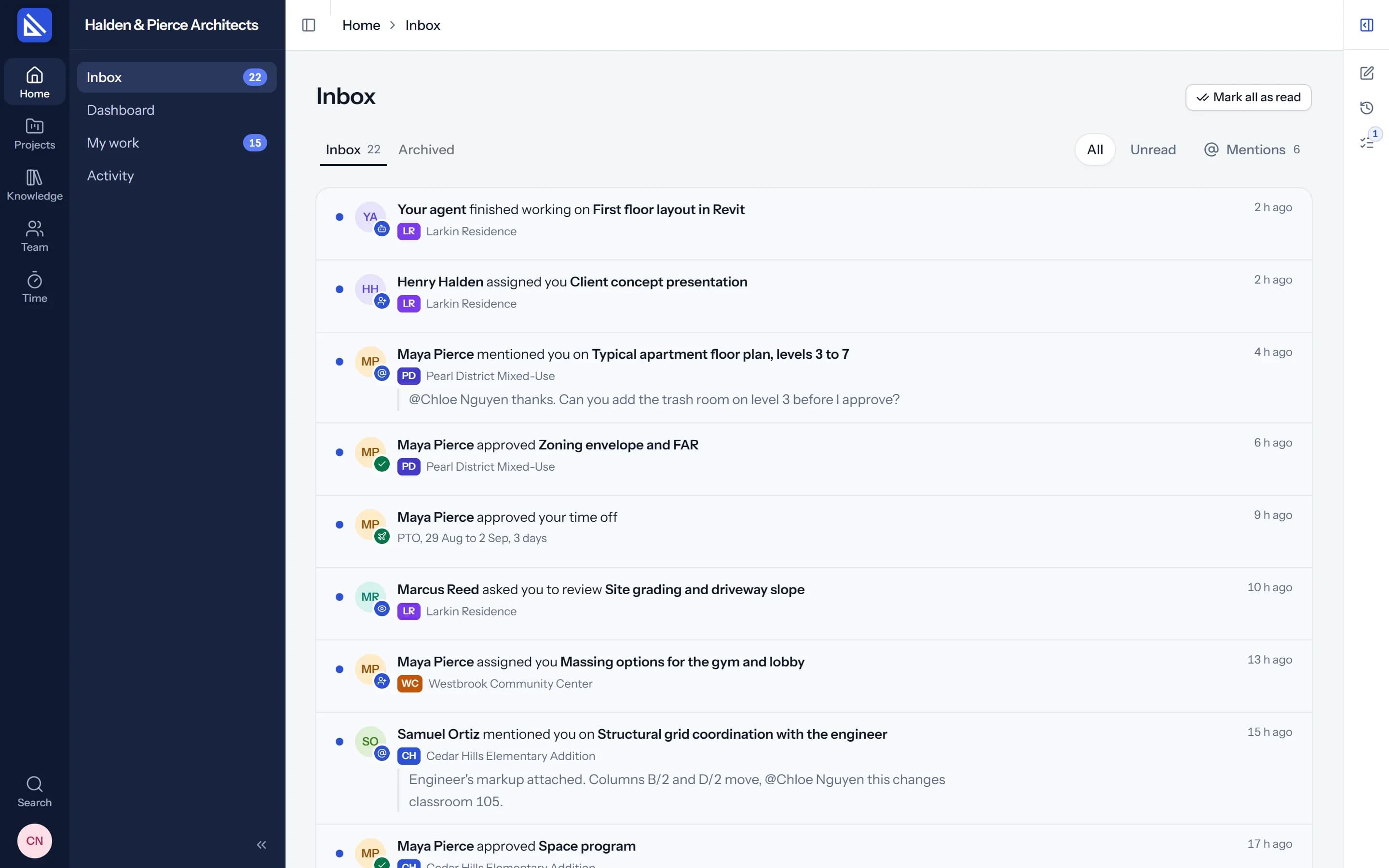
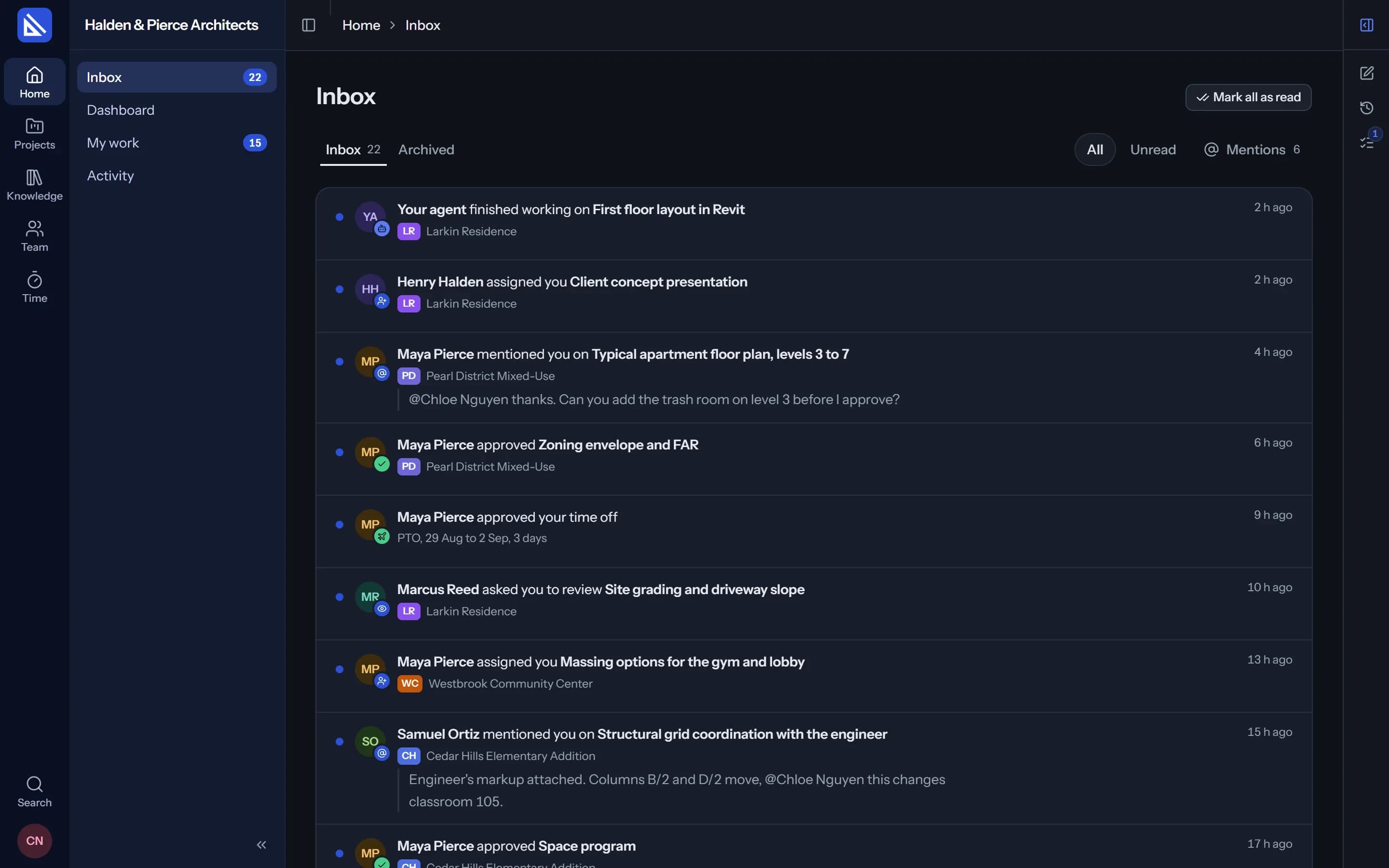
Inbox
Mentions, reviews and tasks given to you, in one list.
Time and money
See the firm's hours and fees as the work happens.
Time is logged against tasks, so every project knows what it has cost and what is left of its fee. Owners and managers see the firm; each person sees their own.
- Timesheets. A week at a time, with a timer on every task. Your agent can draft the week for you to check.
- Fees and profit. A lump sum, a percentage, hourly or a mix, against the cost of the hours logged.
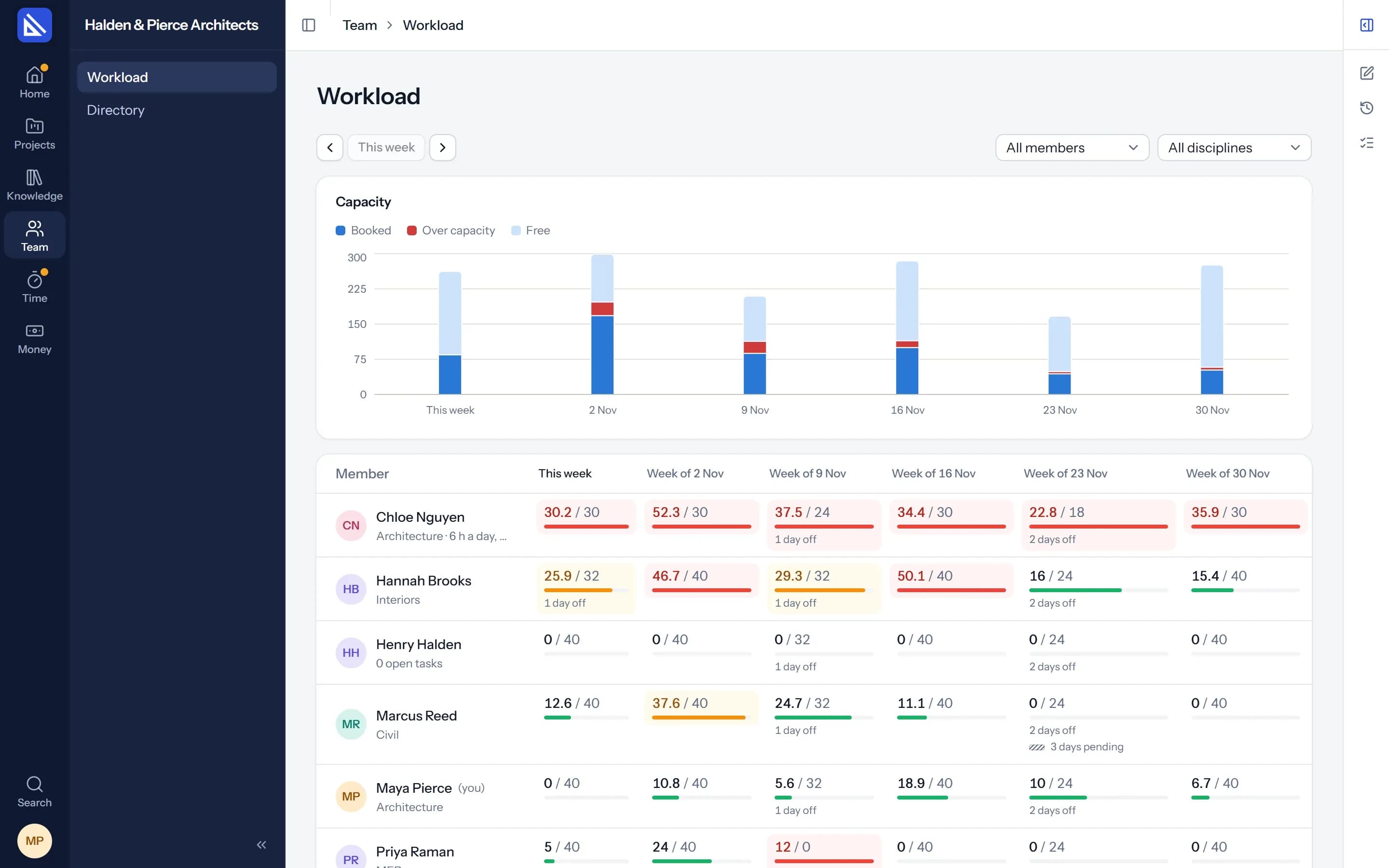
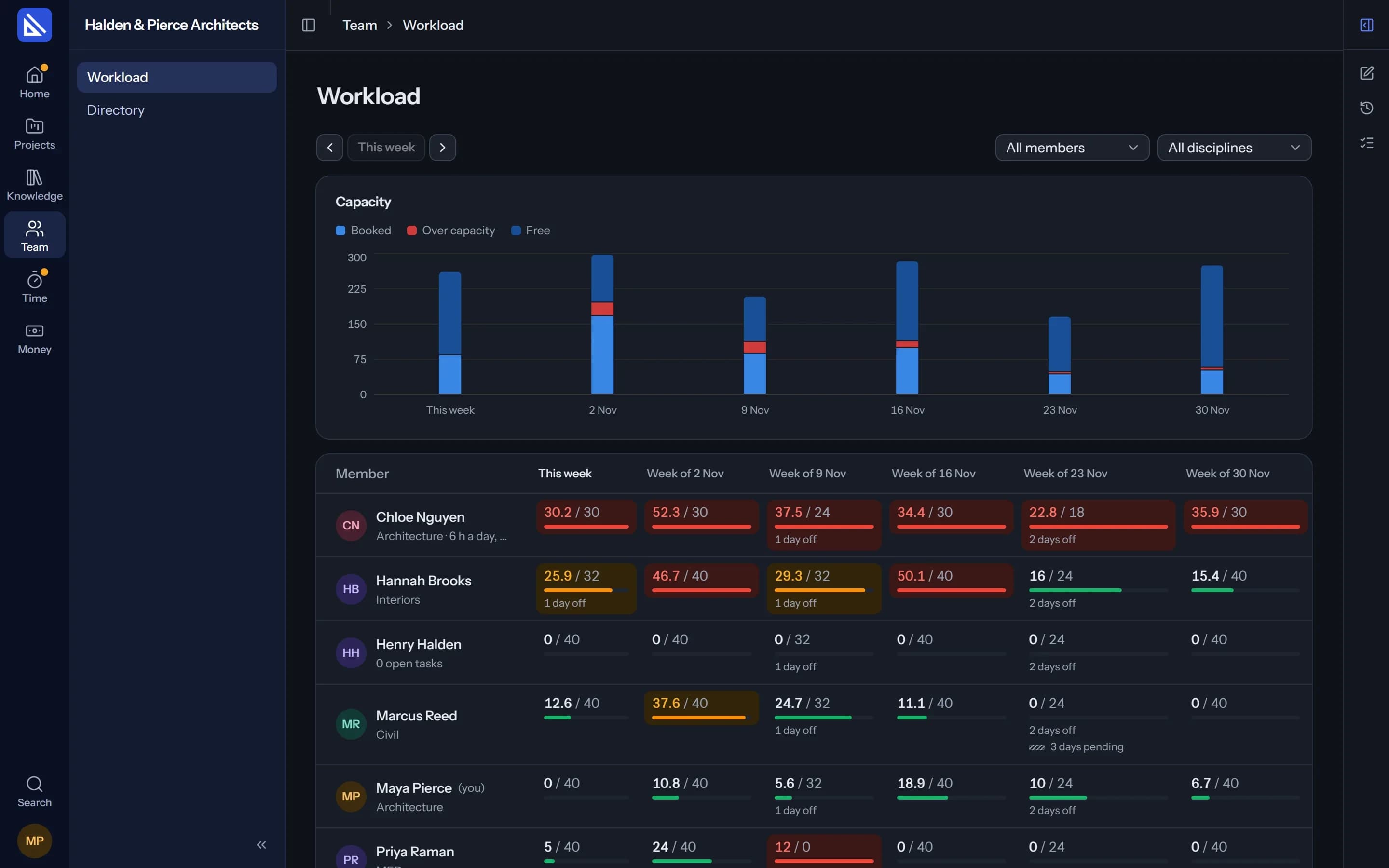
- Workload. Who is free and who is over, week by week, with approved time off taken out.
The desktop app and Arqiflow for Revit
Your tasks and timer by the clock, notifications, and the connection that lets your agent work in Revit.
DownloadYour agent has your access, no more
It sees what you may see. Your chats with it are yours alone. Every step it takes is recorded, with whom it worked for.
How we keep your work safeQuestions
What is Arqiflow?
Who is responsible for the agent's work?
What can the agent do?
Do we need Revit?
Can others read my chats with my agent?
Can we bring our current projects in?
What does the free trial include?
Bring your next project into Arqiflow.
Run your own projects and people in it free for 14 days, with no card. The agent comes with a plan.